
Provenance records
Recognized C2PA/JUMBF may describe origin, tools, ingredients, or edits associated with an image.
Understand what “AI meta” means
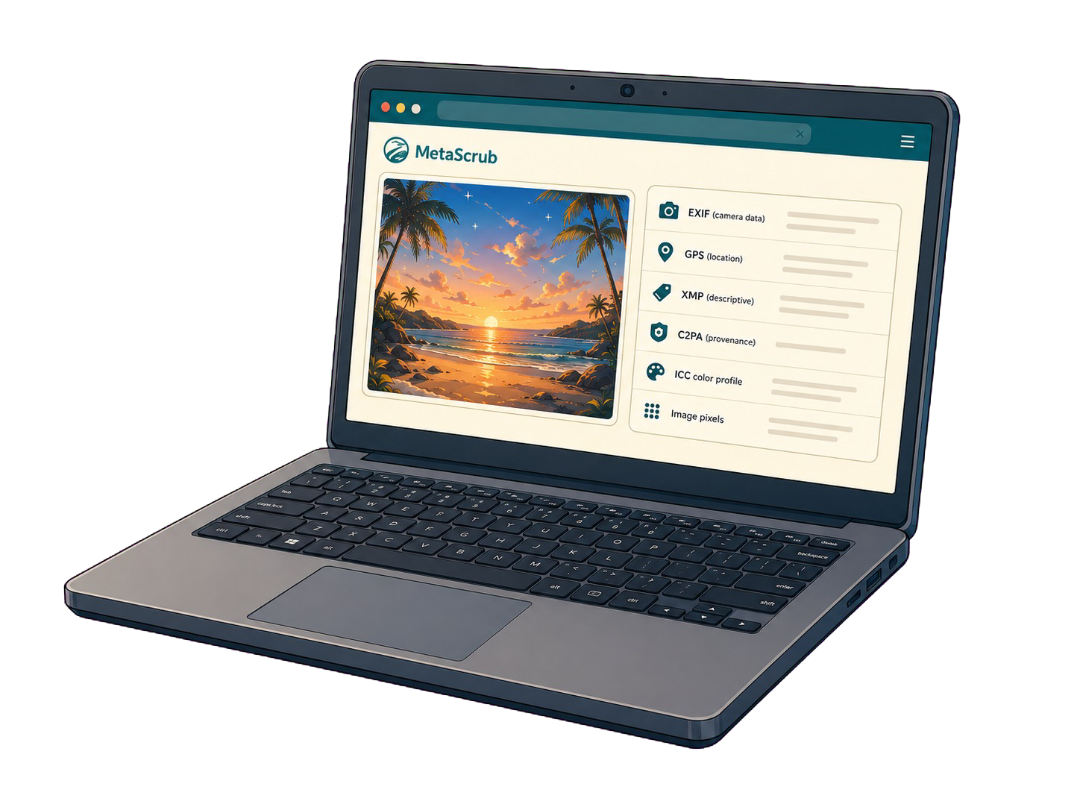
“AI meta” is shorthand, not one technical field. Inspect the file first to see whether it contains recognized provenance, generator-related fields, ordinary photo metadata, or nothing supported.
Choose imagesor drop JPEG, PNG, or WebP files here
Clean 5 images free per day. Files stay on this device.
Built around the result you need
Knowing which metadata family is present helps you remove the right information without assuming every AI image contains the same tag.
Recognized C2PA/JUMBF may describe origin, tools, ingredients, or edits associated with an image.
Some workflows write generator, edit, or provenance information into recognized XMP, comments, or text metadata.
EXIF, GPS, IPTC, captions, credits, and software details are separate from AI provenance and may need a broader privacy clean.
Inspect before you remove
MetaScrub previews both modes so you can see what will be removed and what will stay.
Inside a supported image
Each layer serves a different purpose, so the cleaner reports it separately.
Camera, capture, device, time, and location details.

Captions, credits, rights, keywords, edits, and software fields.
Recognized C2PA/JUMBF provenance records and assertions.
Color profile and visual image data stay when possible.
Honest product boundaries
Clear answers before you clean
Usually “AI meta” is shorthand for AI-related metadata, but it can refer to provenance, generator fields, content credentials, or a platform label. Inspection shows what is actually inside the file.
Choose AI provenance only. It keeps recognized EXIF and GPS while targeting supported AI-related provenance and tagged metadata.
Choose Privacy clean for broader supported removal of EXIF/GPS, XMP, IPTC, comments, and recognized provenance while preserving ICC color data when possible.
No. Inspection and cleaning run locally in your browser, and the source image is not sent to a MetaScrub server.
Private by design
Inspect first. Clean only what you choose. Download a verified copy.
Choose images