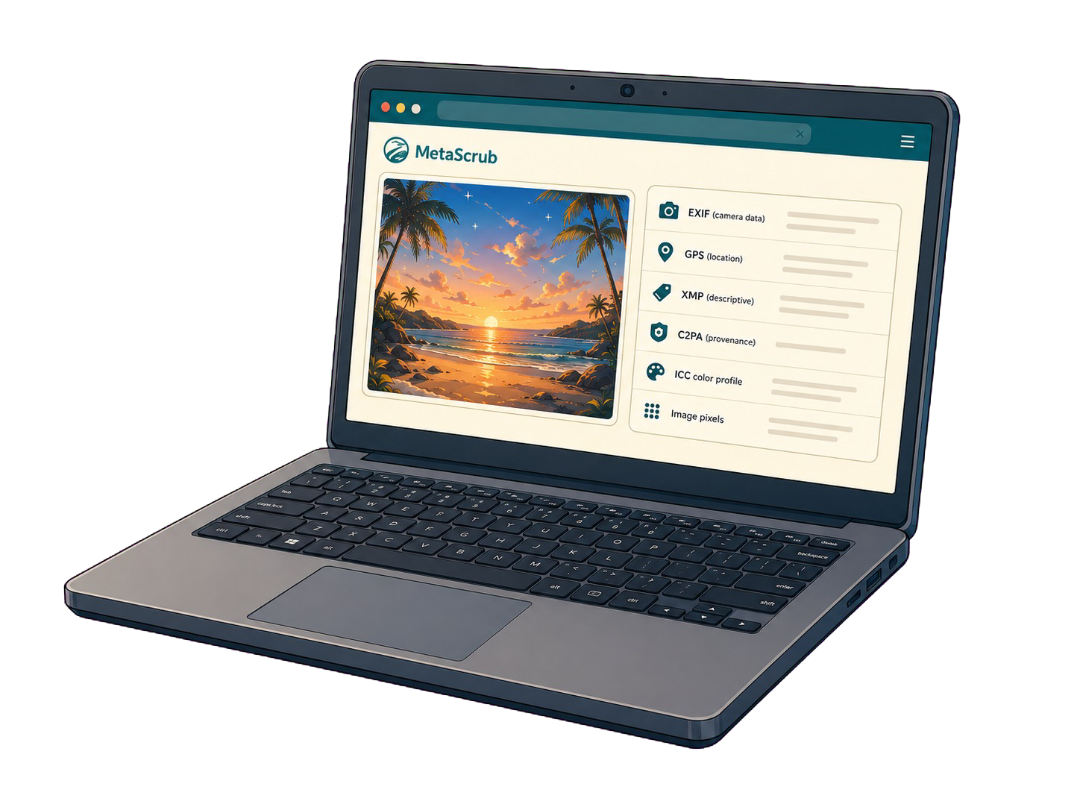
Inspect first
Review detected EXIF, GPS, XMP, IPTC, comments, and recognized provenance blocks before cleaning.
Free image metadata remover
See what is stored inside a JPEG, PNG, or WebP image before you remove it. MetaScrub cleans supported metadata in your browser and shows a before-and-after result.
Choose imagesor drop JPEG, PNG, or WebP files here
Clean 5 images free per day. Files stay on this device.
Built around the result you need
A useful metadata eraser should show what it found, explain what each mode changes, and let you verify the output.
Review detected EXIF, GPS, XMP, IPTC, comments, and recognized provenance blocks before cleaning.
Use Privacy clean for broad supported metadata removal or AI provenance only for a narrower cleanup.
Compare the original and cleaned result, then download one image or a batch ZIP.
Inspect before you remove
Removal depends on what the file contains and the cleaning mode you choose. MetaScrub reports the result for each supported block.
Inside a supported image
Each layer serves a different purpose, so the cleaner reports it separately.

Camera, capture, device, time, and location details.

Captions, credits, rights, keywords, edits, and software fields.

Recognized C2PA/JUMBF provenance records and assertions.
Color profile and visual image data stay when possible.
Honest product boundaries
Clear answers before you clean
Yes. The free tier includes up to five successful image cleans per day in your browser. Larger batches are available separately.
MetaScrub does not intentionally re-encode or alter image pixels. It creates a new file with selected supported metadata removed.
No. Inspection and cleaning run locally in your browser. Your source images are not sent to a MetaScrub server.
No tool should promise that without inspecting the result. MetaScrub removes recognized supported blocks and reports what was removed or kept.
Private by design
Inspect first. Clean only what you choose. Download a verified copy.
Choose images