
Location privacy
GPS coordinates can reveal where a photo was captured when the camera or app stored them.
Photo privacy before sharing
Create a cleaner copy before you email, post, or publish a photo. Inspect the file first so you can see whether location, camera, caption, or provenance data is actually present.
Choose imagesor drop JPEG, PNG, or WebP files here
Clean 5 images free per day. Files stay on this device.
Built around the result you need
A photo can carry more than pixels. The exact fields vary by camera, editor, export workflow, and format.
GPS coordinates can reveal where a photo was captured when the camera or app stored them.
EXIF can include device model, lens, exposure, date, time, orientation, and other capture settings.
XMP and IPTC may include captions, keywords, creator names, credits, rights, and editing information.
Inspect before you remove
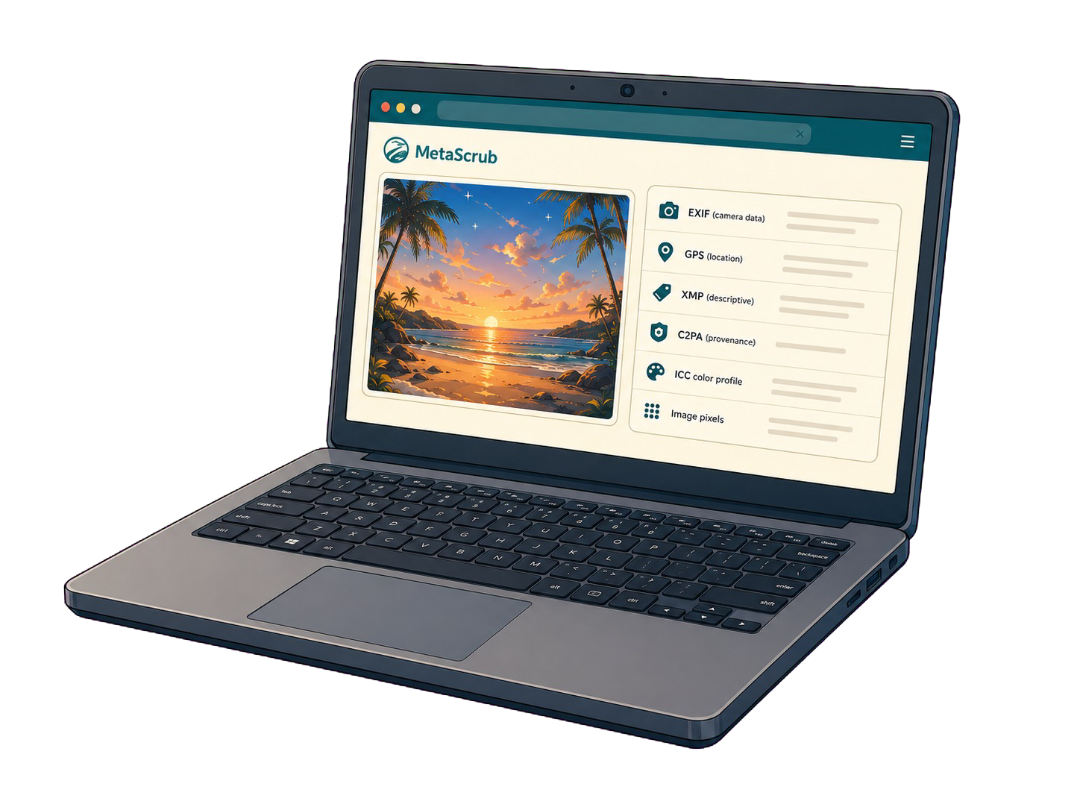
MetaScrub keeps the workflow visible so you can check both the input and the result.
Inside a supported image
Each layer serves a different purpose, so the cleaner reports it separately.
Camera, capture, device, time, and location details.

Captions, credits, rights, keywords, edits, and software fields.

Recognized C2PA/JUMBF provenance records and assertions.
Color profile and visual image data stay when possible.
Honest product boundaries
Clear answers before you clean
Use Privacy clean, then review the verification result. MetaScrub removes recognized supported blocks, but it does not claim to cover every proprietary or unknown field.
Yes. MetaScrub reads and cleans supported still images locally in your browser.
No. MetaScrub leaves the source file untouched and downloads a new cleaned copy.
MetaScrub supports JPEG, PNG, and WebP still images.
Private by design
Inspect first. Clean only what you choose. Download a verified copy.
Choose images