A good fit
 Local browser processing
 Inspect before cleaning
 Verify removed and kept blocks
 Broad privacy cleaning or AI-provenance-only
 JPEG, PNG, WebP batches and ZIP
Compare metadata-removal approaches
MetaScrub is a strong fit for supported images that need local, block‑level cleaning and visible before/after results. Choose another approach for field-level editing, unsupported formats, automation, or full C2PA validation.
JPEG, PNG, or WebP · 5 images free per day · Processed locally






 Local browser processingInspect before cleaningVerify removed and kept blocksBroad privacy cleaning or AI-provenance-onlyJPEG, PNG, WebP batches and ZIP
 GPS-only or field-level editing
 HEIC, RAW, documents, audio, or video
 Native offline apps or CLI automation
 Full C2PA validation
 Account-synced team licensing

Category behavior varies. Verify the specific feature or tool.
Swipe horizontally to compare every method.
| Decision criterion | Built-in controls | Browser / web tools | Desktop or CLI | MetaScrub |
|---|---|---|---|---|
| File stays on device | Varies by feature or tool | Varies; verify each service | Often possible; verify the tool | Yes for image cleaning |
| Inspect before removal | Varies | Varies | Often available; verify | Yes, with a recognized-block summary |
| Verify removed and kept blocks | Varies | Varies | Varies | Yes |
| Selective embedded AI-provenance mode | Varies | Varies | Tool-specific | Yes |
| Field-level Exif editing | Platform-specific | Tool-specific | Available in some tools | No |
| Supported formats | Platform-specific | Tool-specific | Often broader; verify | JPEG, PNG, WebP |
| Batch and automation | Usually limited | Tool-specific | Often the strongest category | 5/day free; bulk UI up to 200; no scripting |
| Full C2PA validation | Usually no | Tool-specific | Available in dedicated validators | No |
| Install required | No | No | Usually yes | No |
| Cost | Platform- or tool-specific | Tool-specific | Tool-specific | Free core; $7 batch or $9.99/month |
Category cells are intentionally non-universal.






No image upload for cleaning.
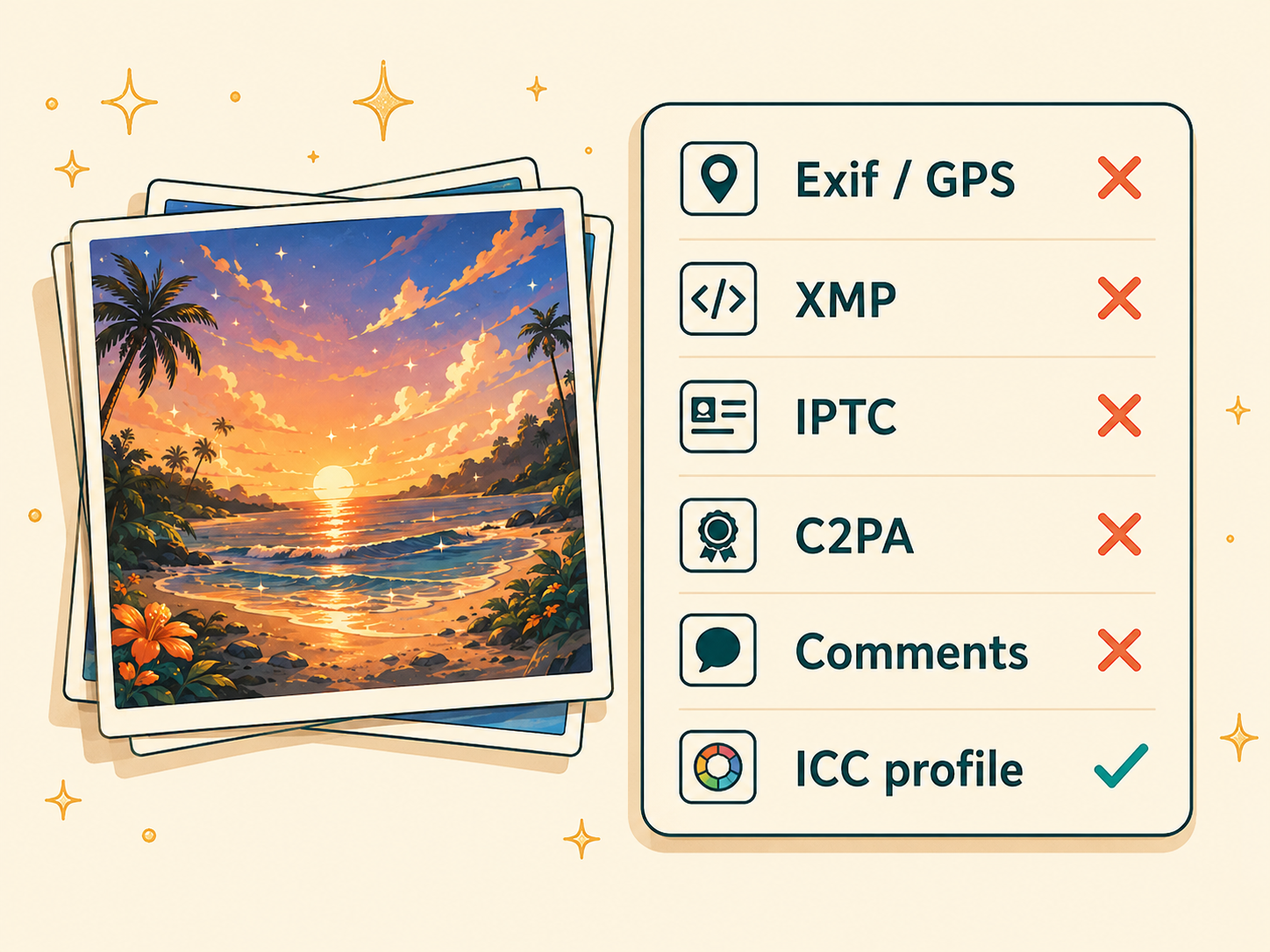
Removes recognized Exif/GPS and other privacy and provenance metadata. Keeps the ICC color profile.
Removes recognized embedded C2PA/JUMBF and AI-tagged XMP/text. Keeps Exif—including GPS—and the ICC color profile.
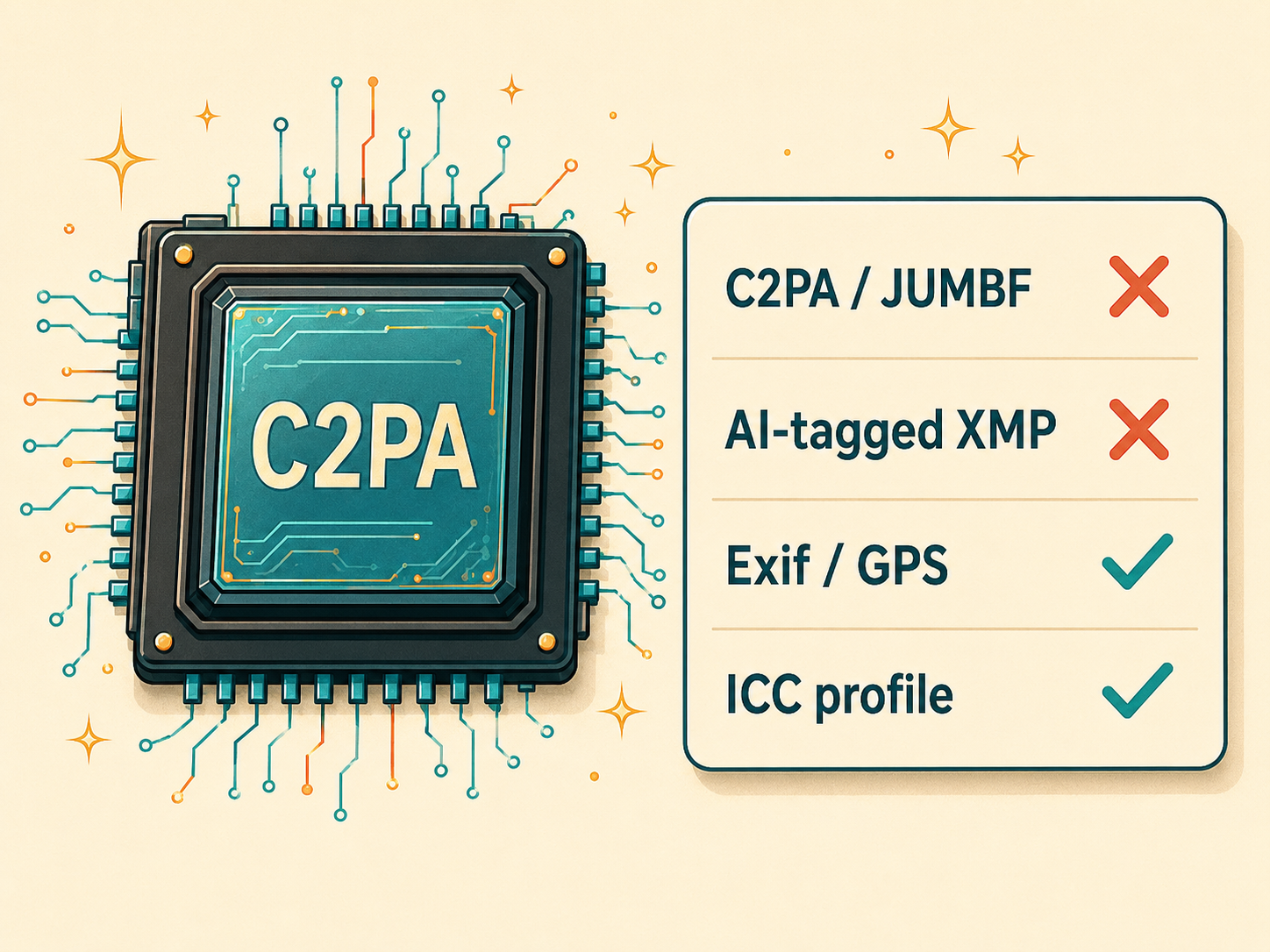
Neither mode performs field-level editing or pixel-watermark removal.

$0
5 images per day
Both modes, inspection, verification, and download

$7once · or $9.99/month
Up to 200 files per batch
One bulk batch or recurring monthly batches

Edit only GPS or one tag, add or change values, or correct timestamps.

Offline automation, recurring pipelines, scripting, and broader format support.

Signer trust, assertions, integrity checks, and remote provenance.

Work with PDFs, Office files, audio, video, and other non-image files.
Preserve an untouched original for archival, evidentiary, rights, or provenance-sensitive uses.

Yes. The free core includes both cleaning modes, inspection, verification, and download for up to 5 images per day.
A $7 pass covers one bulk batch of up to 200 images. The $9.99/month plan supports recurring bulk batches at the same cap. Neither changes the cleaner, privacy model, formats, or modes.
No. Inspection and cleaning run locally in browser memory; your images are not uploaded for processing.
No. MetaScrub works at the metadata-block level, not on individual Exif fields. Privacy clean removes recognized Exif/GPS together with other supported privacy metadata.
Yes. AI-provenance-only removes recognized C2PA/JUMBF and AI-tagged XMP/text while keeping Exif—including GPS—and the ICC color profile.
MetaScrub supports JPEG, PNG, and WebP images.
No. It can detect and remove recognized embedded C2PA/JUMBF data, but it does not validate signatures, signer trust, assertions, or remote provenance. Use a dedicated C2PA validator for that job.
No. MetaScrub supports JPEG, PNG, and WebP images only. Use a document or video metadata tool for other file types.
Choose one when you need a native offline workflow, scripting, recurring automation, broader format support, or field-level metadata editing.